

How to Set Up Portable Power Station for Outdoor Use
Camping in the rugged beauty of the Canadian Rockies or exploring remote American forests means leaving the convenience of traditional power behind. Packing a portable power station can be the difference between a smooth trip and unexpected challenges with dead devices. Staying powered off the grid unlocks modern comforts while allowing you to respect nature, and understanding each setup step will help you avoid the most common safety hazards and keep your gear running without worry.
Table of Contents
Quick Summary
| Key Point | Explanation |
| 1. Inspect Power Station Thoroughly | Check for damage and functionality to avoid hazards and ensure reliability during outdoor use. |
| 2. Position Solar Panels Optimally | Place panels in areas with full sunlight and at correct angles to increase energy generation efficiency. |
| 3. Use Correct Charging Cables | Ensure devices and power station connections are compatible to prevent damage and enhance performance. |
| 4. Monitor Charging Status Regularly | Keep an eye on indicators for battery health and system alerts to prevent failures during use. |
| 5. Store Power Station Properly | Choose a dry, temperature-controlled location and maintain a 50% charge to extend battery life during storage. |
Step 1: Unpack and Inspect Your Portable Power Station
Unpacking your portable power station is the critical first step in preparing for your outdoor adventure. This process ensures your equipment is ready, functional, and safe for use in remote environments.
Carefully remove the power station from its packaging, and inspect it thoroughly for any signs of shipping damage. Pay close attention to key safety inspection points that could impact performance and reliability. The inspection should include:
-
Checking the exterior casing for cracks or dents
-
Examining power ports and connection points for debris or damage
-
Verifying all cables and accessories are included and undamaged
-
Testing the display screen and control buttons for responsiveness
Proper initial inspection can prevent potential electrical hazards and equipment failures during your outdoor journey.
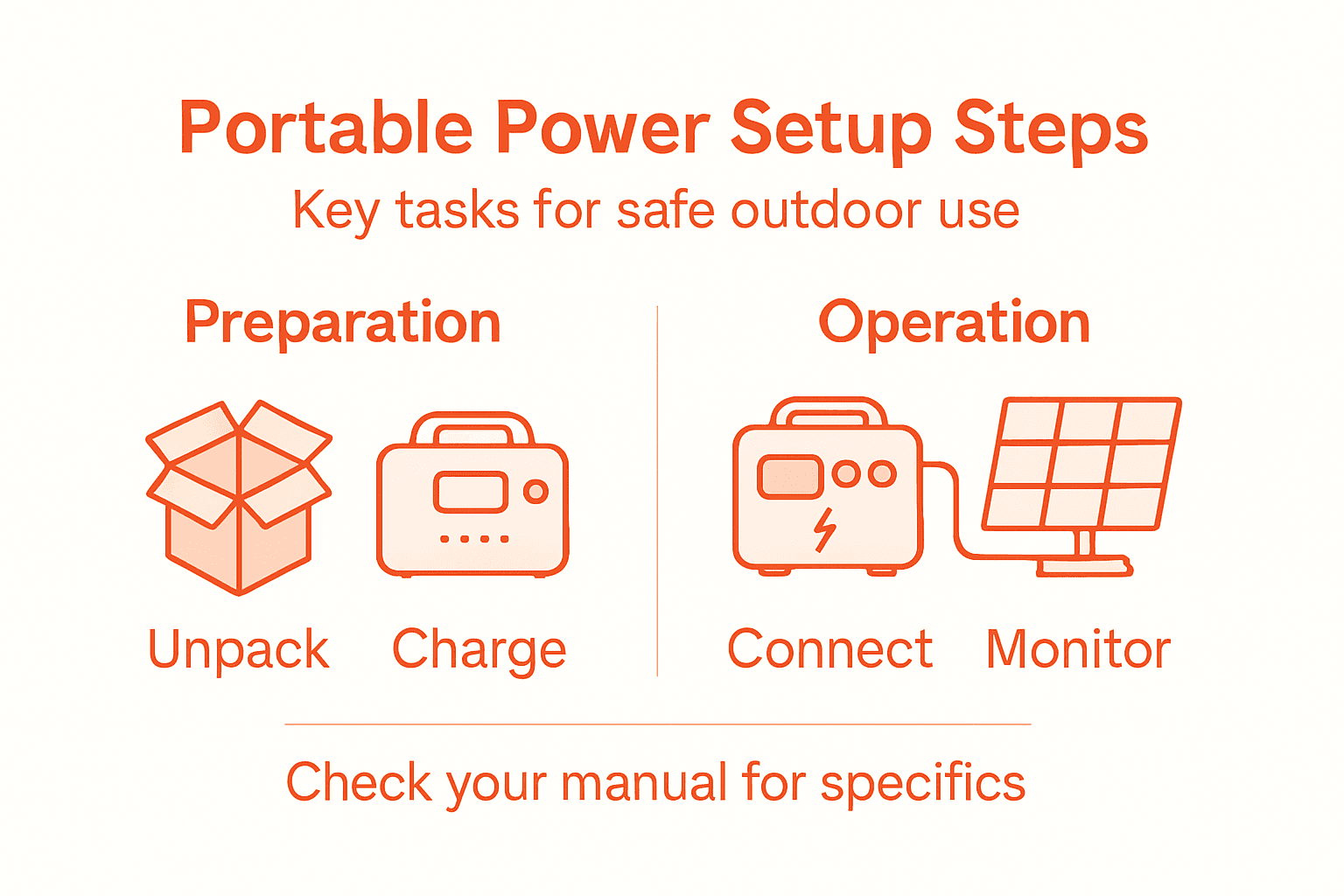
Before using your power station, charge it to full capacity using the provided wall charger or solar panel connection. Familiarize yourself with the device’s specific features, such as input/output wattage, port types, and battery capacity.
Pro tip: Always keep the original packaging and documentation for warranty purposes and future reference.
Step 2: Position and Connect Solar Panels Safely
Positioning and connecting your solar panels correctly is crucial for maximizing power generation during your outdoor adventures. Proper setup ensures efficient charging and protects your portable power station’s performance in various environmental conditions.
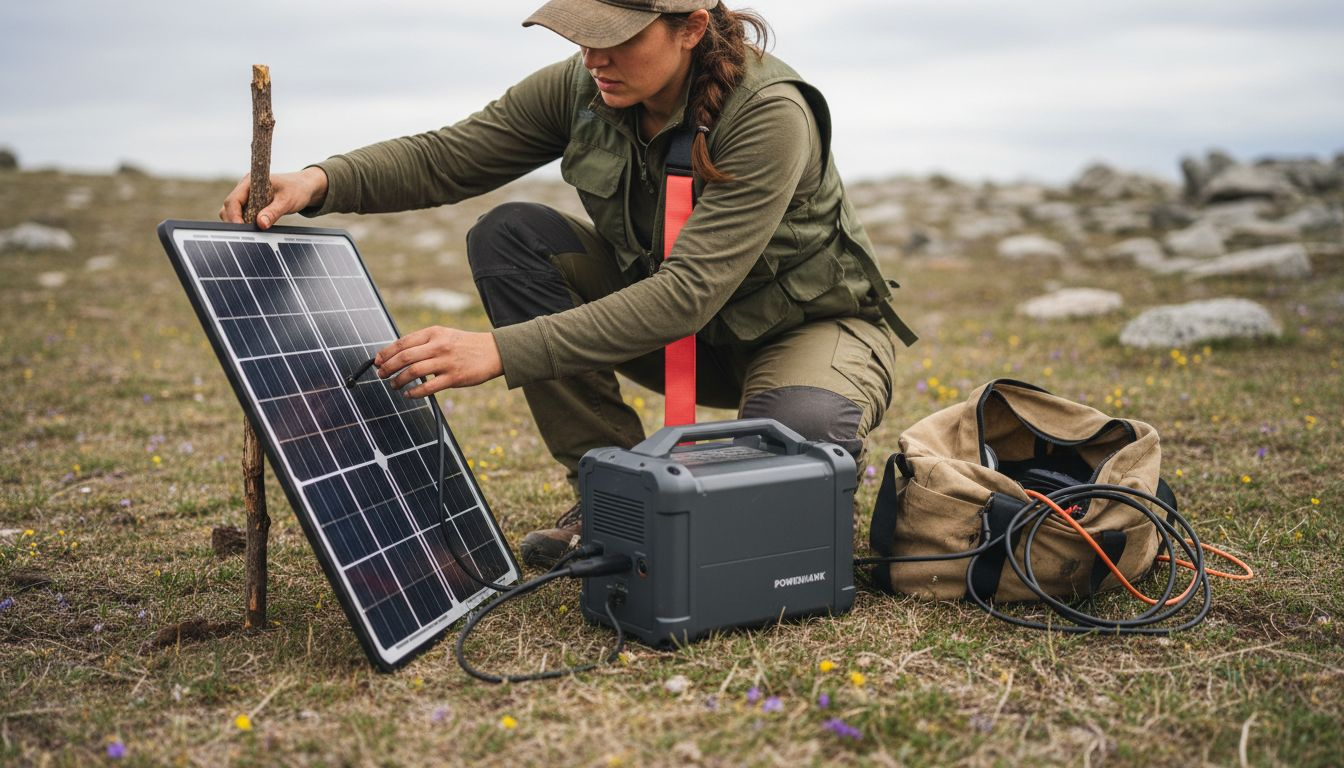
Solar panel positioning techniques require careful consideration of several critical factors. Start by selecting a location with direct, unobstructed sunlight and minimal shade. Follow these key guidelines:
-
Aim for a clear, open area with maximum sun exposure
-
Position panels at an angle perpendicular to the sun’s rays
-
Ensure panels are stable and securely mounted
-
Keep panels clean and free from dust or debris
Proper solar panel placement can increase energy generation by up to 30 percent compared to randomly positioned panels.
Carefully connect the solar panel cables to your portable power station’s input ports, ensuring a secure and tight connection. Double-check that the polarity matches the station’s specifications and that no loose connections exist.
Pro tip: Carry a small microfiber cloth to periodically clean your solar panels, which can help maintain optimal charging efficiency during your outdoor trips.
Step 3: Attach Devices and Accessories for Charging
Connecting your electronic devices to the portable power station requires careful attention to ensure safe and efficient charging in outdoor environments. Understanding proper connection techniques will help you maximize your power station’s capabilities and protect your valuable electronics.
Temporary power safety guidelines recommend thoroughly examining each connection point before plugging in your devices. Start by identifying the appropriate ports for your specific accessories:
-
Verify voltage and wattage compatibility
-
Use only manufacturer-approved cables
-
Check port types (USB-A, USB-C, AC outlet, 12V car socket)
-
Inspect cable conditions for any visible damage
Not all devices charge at the same rate or use identical connections, so always match your device’s specific charging requirements.
Prioritize using the appropriate charging cable for each device, paying close attention to the power station’s output specifications. Some devices may require adapters or specific connection techniques to ensure optimal charging performance.
This table highlights features of popular power station ports:
| Port Type | Common Use | Voltage/Wattage Range |
| USB-A | Phones, flashlights | 5V, up to 12W |
| USB-C | Tablets, laptops | 5V-20V, up to 100W |
| AC Outlet | Small appliances | 110V, varies by model |
| 12V Car | DC-powered devices | 12V, up to 120W |
Pro tip: Carry a universal adapter kit with multiple connector types to ensure compatibility with various electronic devices during your outdoor adventures.
Step 4: Power On and Monitor Charging Status
Powering on your portable power station and effectively monitoring its charging performance ensures you maximize your energy resources during outdoor adventures. Understanding the intricacies of power management will help you maintain a reliable electrical supply in remote environments.
Pass-through charging mechanisms allow you to simultaneously charge your devices while the power station itself is being powered. Familiarize yourself with the device’s control panel and charging indicators:
-
Locate the main power button
-
Check battery percentage display
-
Verify input and output wattage indicators
-
Monitor temperature and charging status lights
Real-time monitoring helps prevent overcharging and optimizes your power station’s overall performance and battery longevity.
Pay close attention to the battery management system and its visual indicators. Most modern portable power stations feature digital displays that provide comprehensive information about charging rates, remaining capacity, and potential system alerts.
Pro tip: Always keep your power station’s user manual accessible, as different models may have unique monitoring and charging protocols.
Step 5: Verify Operation and Store for Easy Access
Finalizing your portable power station setup involves thoroughly verifying its performance and establishing a strategic storage approach that keeps your equipment protected and immediately accessible for future outdoor adventures.
Generator startup and maintenance guidelines recommend comprehensive operational checks before storing your power station. Perform these critical verification steps:
-
Test all electrical output ports
-
Confirm battery charge retention
-
Check display panel functionality
-
Verify cooling system performance
Proper verification ensures your power station remains reliable and ready for unexpected power needs during future trips.
When storing your portable power station, select a location that is dry, temperature-controlled, and away from direct sunlight. Keep the device at approximately 50% battery charge to maintain optimal battery health during extended periods of non-use.
Pro tip: Create a dedicated storage container with protective padding to shield your power station from potential physical damage during transportation and storage.
Here’s a summary of important considerations for each step:
| Step | Key Focus | Critical Check | Potential Issue if Missed |
| Unpack & Inspect | Check for damage, verify contents | Test screen and ports | Undetected defects, risk of failure |
| Solar Panel Setup | Optimal panel positioning | Secure, clean connection | Reduced charging efficiency |
| Attach Devices | Match port and wattage | Use correct cable/adapters | Device damage or slow charging |
| Monitor Charging | Watch displays and indicators | Track charging status | Overcharging or overheating |
| Operation & Storage | Test functions before storing | Choose proper storage area | Decreased battery lifespan |
Power Your Outdoor Adventures with Reliable Portable Power Solutions
Setting up a portable power station for outdoor use can seem challenging when you consider all the safety checks, solar panel positioning, and device compatibility involved. The article highlights key pain points like ensuring optimal solar charging and safe device connections to avoid performance issues or damage. If you want an efficient, durable, and easy-to-use system that simplifies all these critical steps while delivering clean, reliable power off-grid, our selection at PortaPower Shop is designed just for you.
Explore our range of portable power stations, solar generators, and foldable solar panels that meet the outdoor enthusiast’s exact needs. Each product is engineered for rugged use and incorporates smart battery management features that align perfectly with the best practices described in the article. Don’t let setup hassles slow your adventure. Visit https://portapower.shop today and get the power you need fast and hassle-free. Your next trip deserves dependable energy that keeps you connected and prepared anytime, anywhere.
Frequently Asked Questions
How do I unpack and inspect my portable power station for outdoor use?
Carefully remove the power station from its packaging and examine it for any damage, such as cracks or dents. Check all power ports and cables to ensure they are undamaged before charging the device.
What is the best way to position solar panels to charge my power station?
Select a location with direct, unobstructed sunlight and position the panels at an angle perpendicular to the sunlight. Ensure the panels are stable and clean for optimal energy generation.
How do I connect devices to my portable power station for charging?
Identify the appropriate ports on the power station that match your devices’ charging requirements and use the recommended cables. Make sure the voltage and wattage are compatible to avoid damaging your devices.
How can I monitor the charging status of my portable power station?
Power on your station and check the display for battery percentage and any charging indicators. Regularly monitor these readings to prevent overcharging and to maintain battery health during use.
What steps should I take to verify my power station’s operation before storing it?
Test all output ports and ensure the battery is holding a charge. Confirm the functionality of the display panel and check the cooling system to make sure everything is operating properly before storage.
How should I store my portable power station for future outdoor use?
Store the power station in a dry, temperature-controlled space, ideally at around 50% battery charge. Use protective padding in the storage container to safeguard it against physical damage.